 EasyRide
For Uber drivers
Uber auto accept app, on your rules.
EasyRide is an auto accept app (some drivers call it an auto clicker) for Uber drivers in India. You set the fare, per-km rate and pickup distance you want. EasyRide accepts the Uber rides that match and skips the ones that don't, so you stop missing good rides and stop taking bad ones.
Why Uber drivers use an auto accept app
Uber ride offers disappear in a few seconds. While you're driving, it's hard to read the fare, check the pickup distance and decide in time. You either miss a good ride or accept one that isn't worth it.
EasyRide reads each offer the moment it appears and decides for you, using the rules you set once.
What you can set
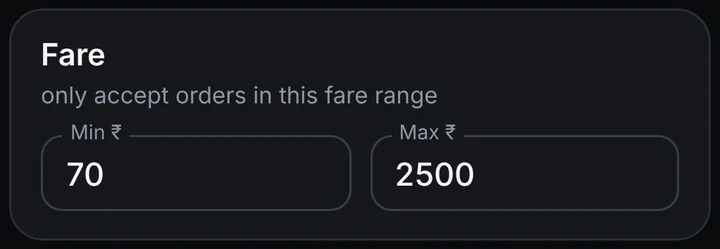
Minimum and maximum fare
Only rides inside your ₹ range are accepted.
₹ per km
Skip rides that pay less per kilometre than you want.
Pickup distance
Skip rides where the pickup is too far away.
Go to zone
Only accept rides that drop in the areas you choose.
No-Go zones
Never accept rides going to areas you avoid.
Ride type
Choose cab rides, intercity, bike or parcel.
How Uber auto accept works
A ride offer arrives in the Uber Driver app
EasyRide reads the fare, pickup distance, drop location and ride type.
EasyRide checks every filter you turned on
All of them must match. If even one fails, the ride is skipped.
Matching rides are accepted automatically
You keep driving. Only rides that fit your rules get accepted.
How to start
Download EasyRide
Tap Download on this site and watch the short install video. It shows how to install an app from outside the Play Store.
Turn on the Accessibility permission
EasyRide needs this to read the ride offer and tap accept. No root needed.
Set your filters
Fare, per-km, pickup distance, zones and ride types.
Try Test Mode first
EasyRide shows a popup saying whether it would accept or reject each ride, without actually doing it. Turn it off when you're happy.
Questions drivers ask
Is there an auto accept app or auto clicker for Uber drivers?
Yes. EasyRide watches incoming Uber ride offers on your phone and taps accept only when the ride matches your filters: fare, per-km rate, pickup distance, drop area and ride type. Rides that don't match are skipped.
Does EasyRide need root access?
No. EasyRide uses Android's Accessibility permission to read the ride offer and tap accept. Your phone does not need to be rooted.
Where can I download the Uber version?
The version with Uber support is downloaded as an APK from easyride-assist.com. The download page shows a short video on how to install it.
Does it work on iPhone?
No. EasyRide works on Android phones only.
Can I test it before it accepts rides?
Yes. Turn on Test Mode. EasyRide will not accept or reject anything; it only shows a popup telling you what it would have done with each ride.
Does it also work with Rapido?
Yes. See Rapido auto accept.
Take only the Uber rides worth taking
Download EasyRide, set your rules once, and let it accept the right rides.